Sourcetree 如何指定多把 SSH keys
原先我會在一般設定裡指定 Private Key 絕對路徑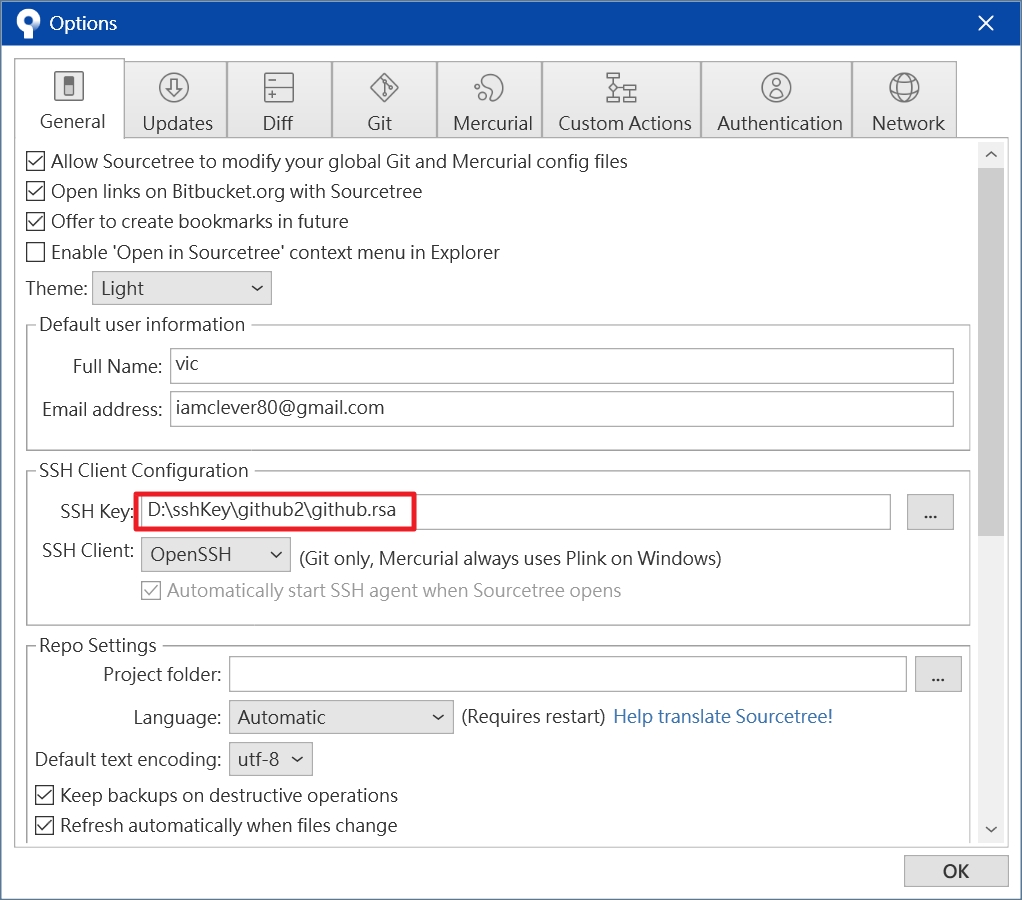
若有多把 SSH Keys 時有兩種方式可設定
1. 一樣指定 Private Key 目錄,不同 Private Key 間用分號區隔
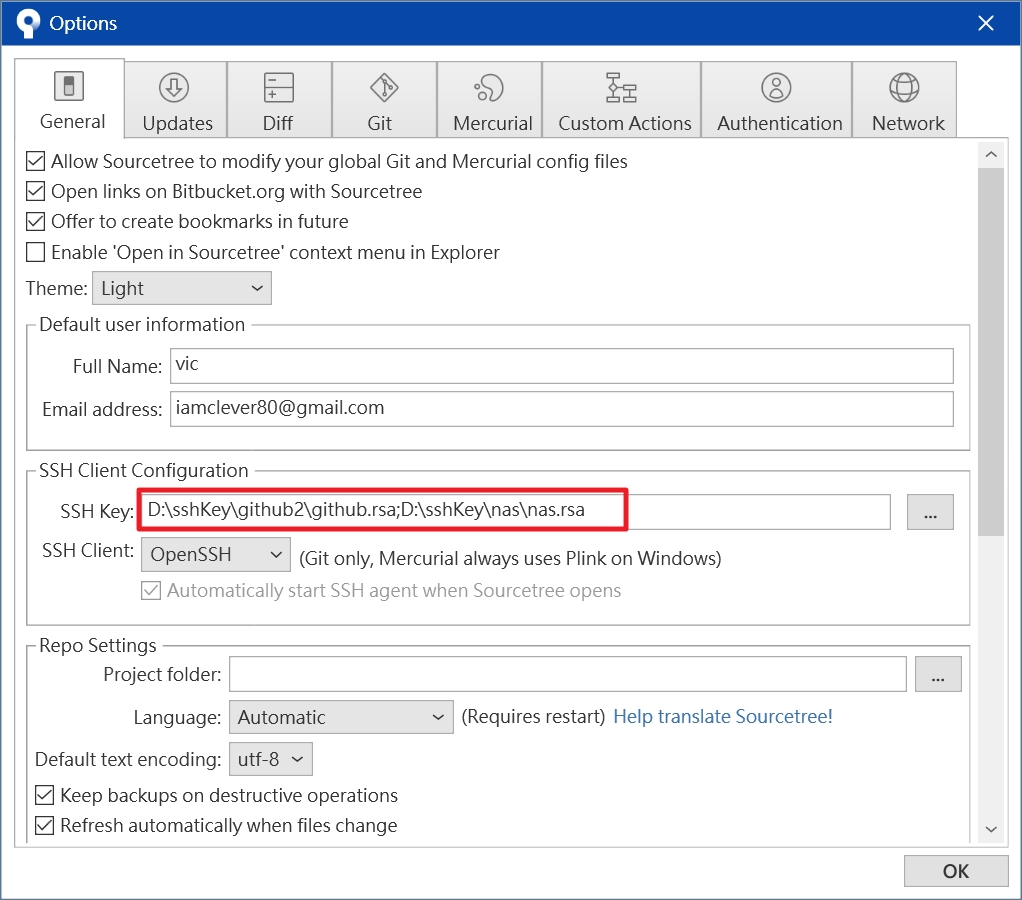
2. 使用 Config 設定檔
在剛剛指定 Private Key 那個欄位留空
接著到 C:/Users/Username/.ssh 目錄下
建立一個檔名為 config 的檔案,不需任何副檔名
Sourcetree 預設就會來吃這個檔案
使用記事本來編輯檔案內容,內容範例如下
Host github.com
 Hostname github.com
 User github-user1
 IdentityFile D:sshKeygithub1.rsa

Host github.com
 Hostname github.com
 User github-user2
 IdentityFile D:sshKeygithub2.rsa

Host gitlab.com
 Hostname gitlab.com
 User gitlab-user
 IdentityFile D:sshKeygitlab.rsa
以上範例是設定兩組 Github 帳號以及一組 Gitlab 帳號
- Host 與 Hostname 基本一致
- User 為您在該平台的帳號
- IdentityFile 則指定私鑰檔路徑檔名
設定完後即可透過 SSH key 存取
與方法一相比較為麻煩,但能比較清楚哪一把 KEY 是哪一個平台帳號專用
以上簡單紀錄
留言