在 Synology NAS 上安裝 Jenkins

Synology NAS 的套件中心並沒有內建 Jenkins所以想在 Synology NAS 上安裝 Je…

step 1

下載 Jenkins 映像檔

使用 NAS 內的 Docker 套件下載 Jenkins 映像檔一直出現操作逾時錯誤
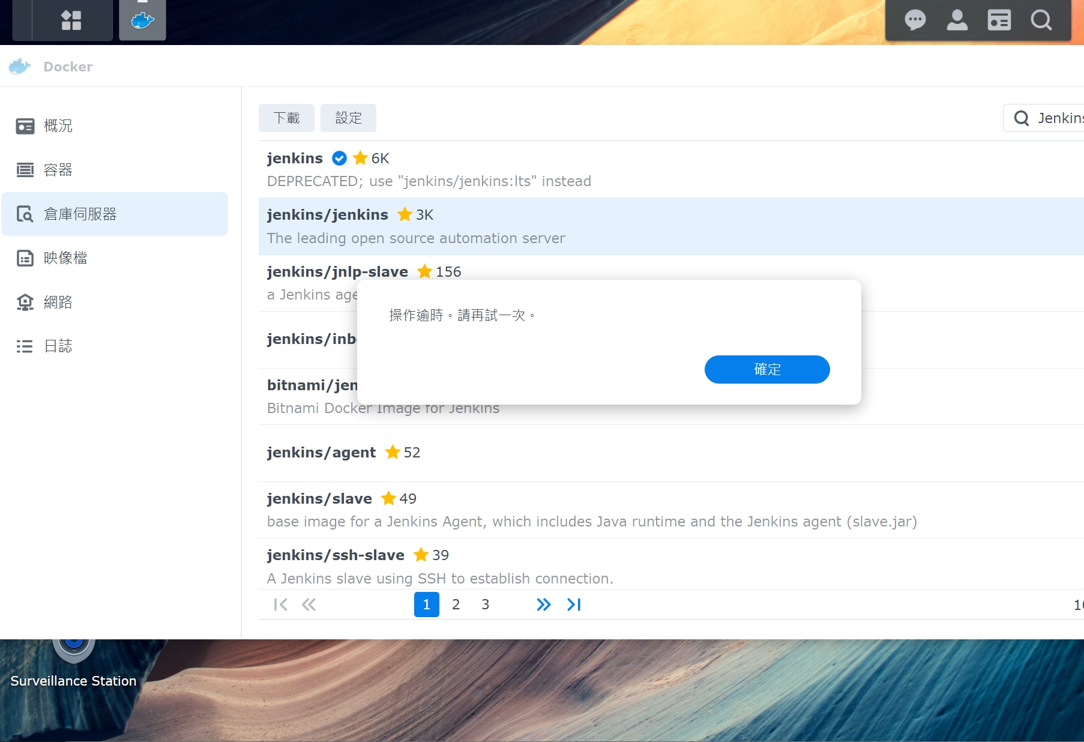
synology nas 的 docker 操作截圖


所以我選擇 ssh 進 NAS 下 pull 指令

sudo docker pull jenkins/jenkins:lts-jdk11
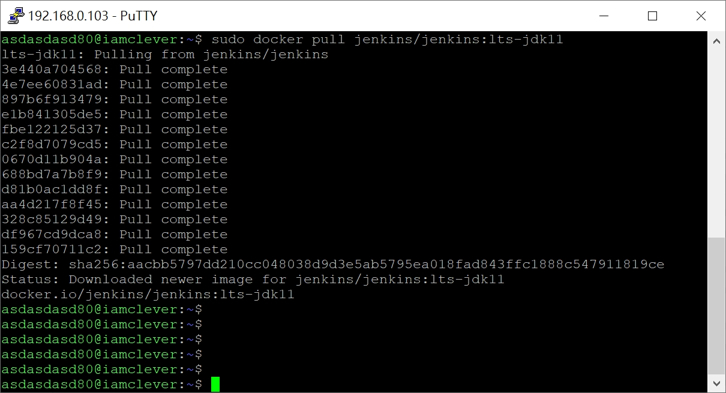
putty ssh 進 nas 執行指令截圖

step 2

佈署容器

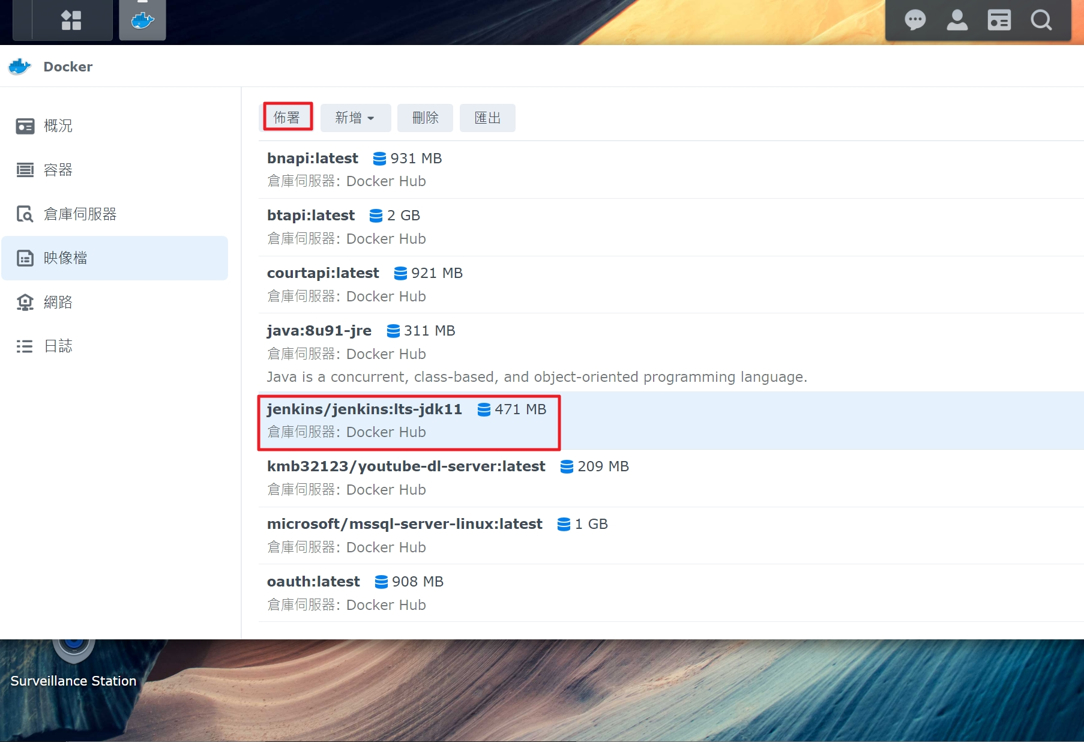
下載完成後,在映像檔頁籤可以找到,選擇後按下佈署

synology nas 的 docker 操作截圖

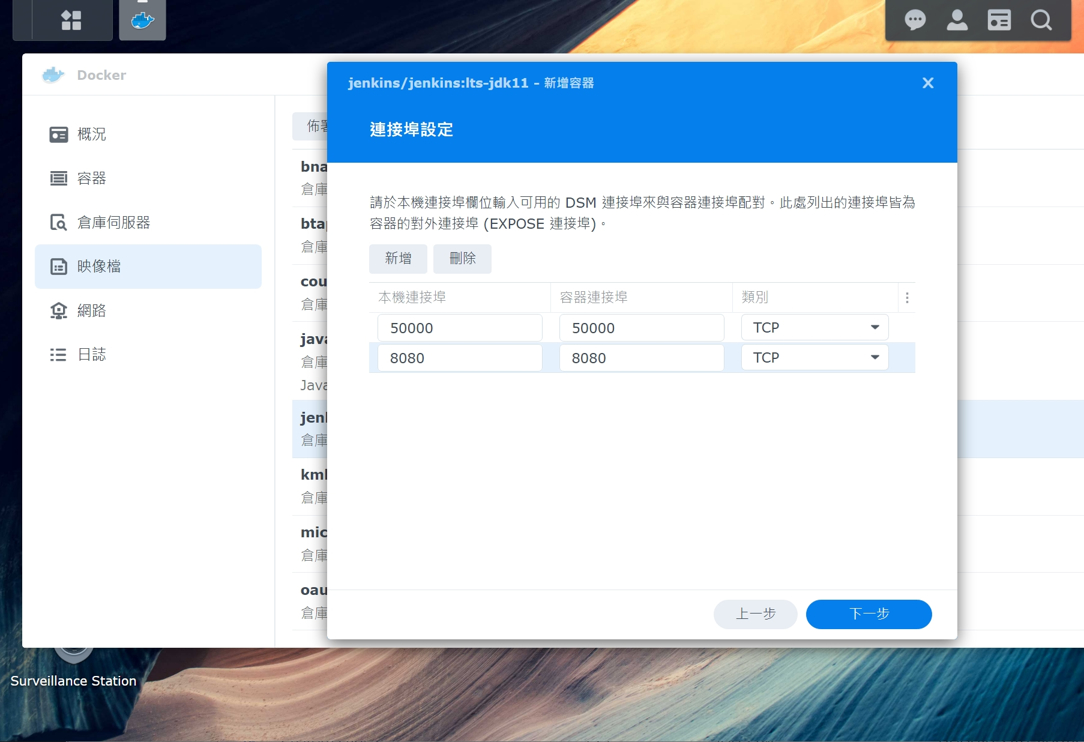
EXPOSE Port 若沒有其他服務占用,直接使用預設即可

synology nas 的 docker 操作截圖

將本機的資料夾 mount 至 docker 內的 /var/jenkins_home 以及 /var/run/docker.sock
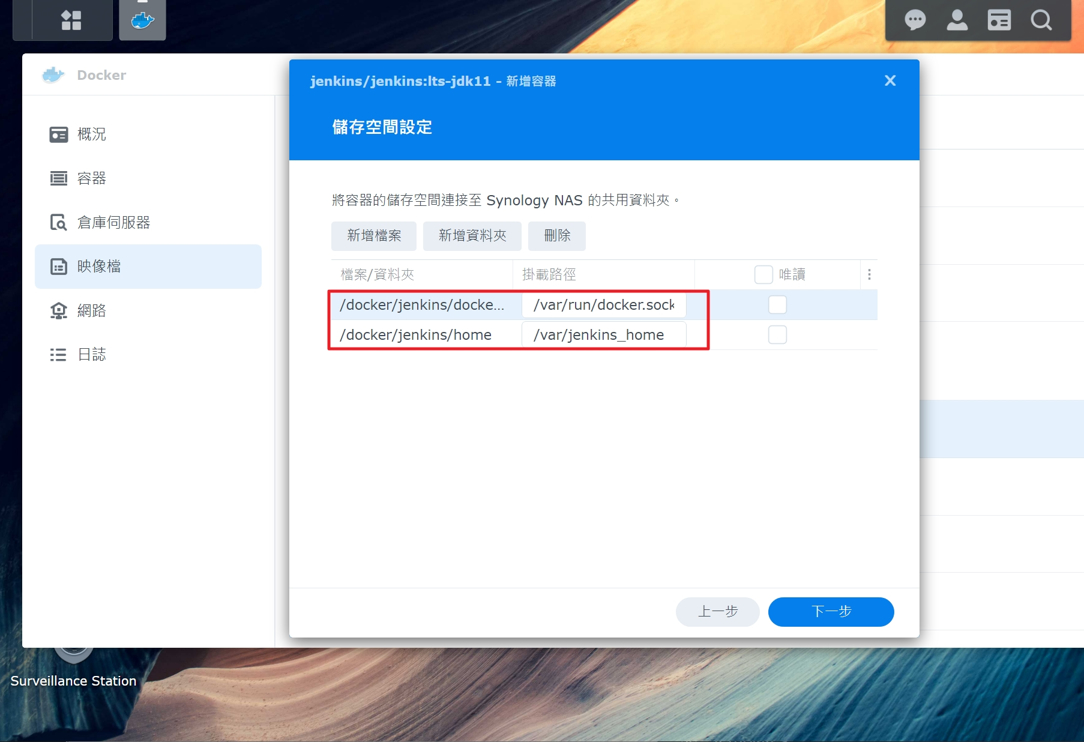
synology nas 的 docker 操作截圖

之後一路下一步直到啟動容器

step 3

Jenkins 初始化設定

容器啟動後,可以透過 http:NAS_IP:8080 訪問 Jenkins 的 Web 主控台
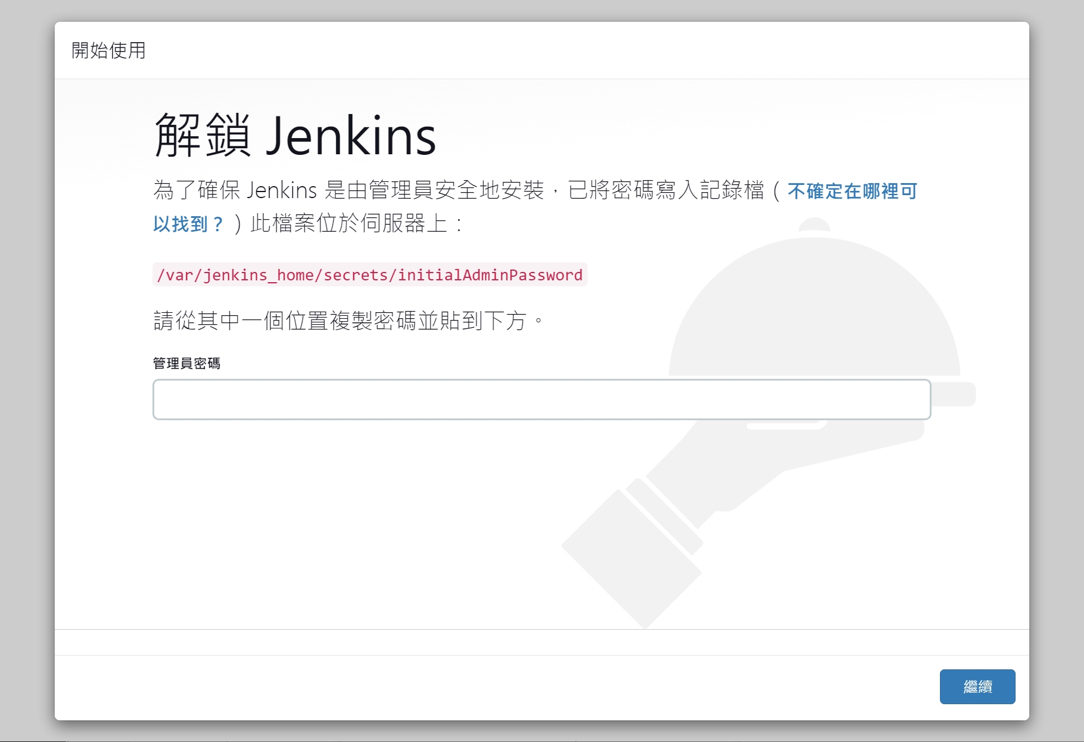
jenkins 主控台畫面截圖

還記得我們剛剛有將 home 目錄 mount 進docker 的 /var/jenkins_home 嗎?
所以直接使用 File Station 就可以取得初始化密碼了
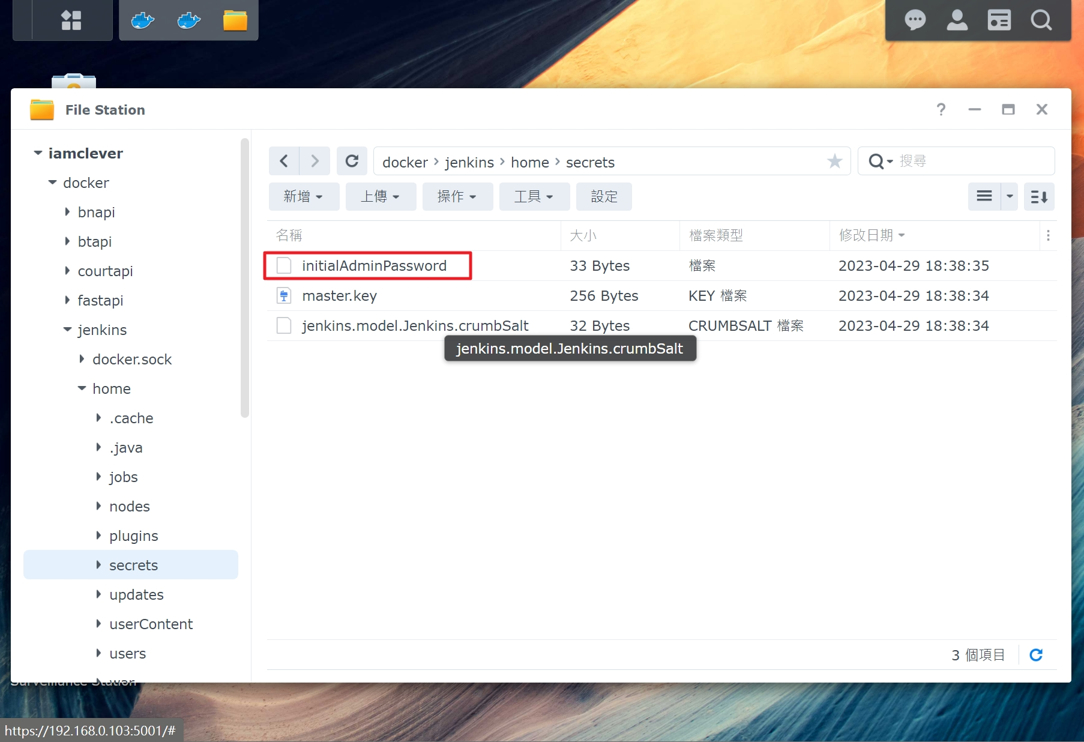
NAS File Station 截圖

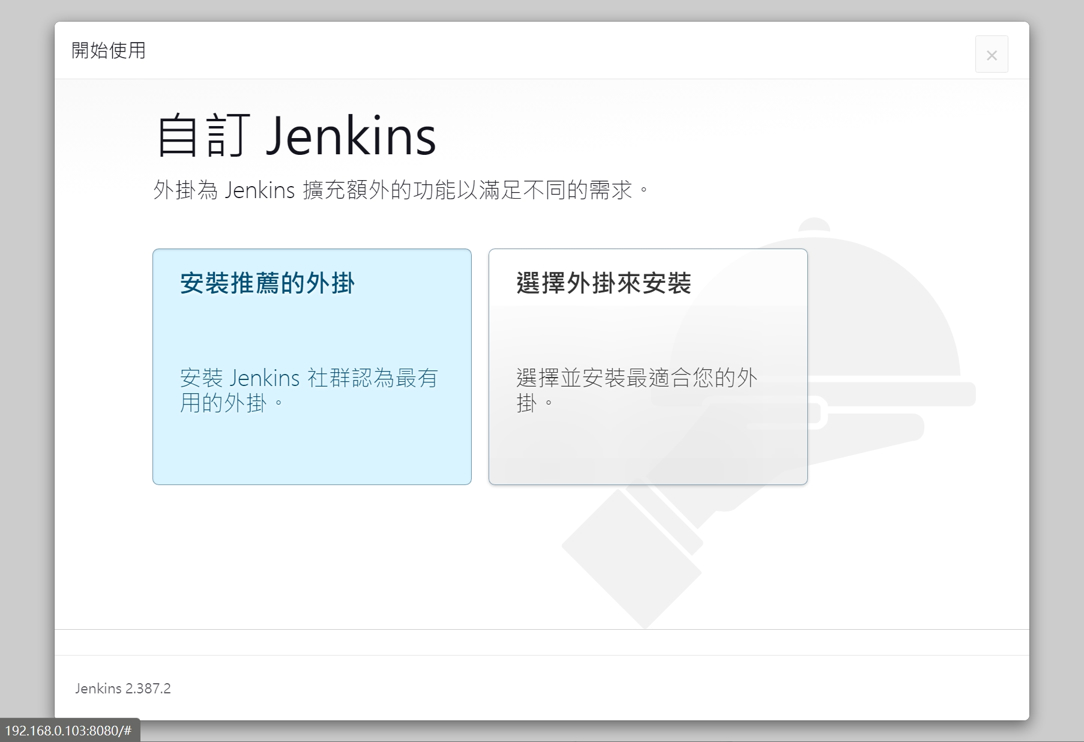
最後就視個人需求決定要安裝什麼外掛,我是直接點選推薦外掛

jenkins 主控台畫面截圖

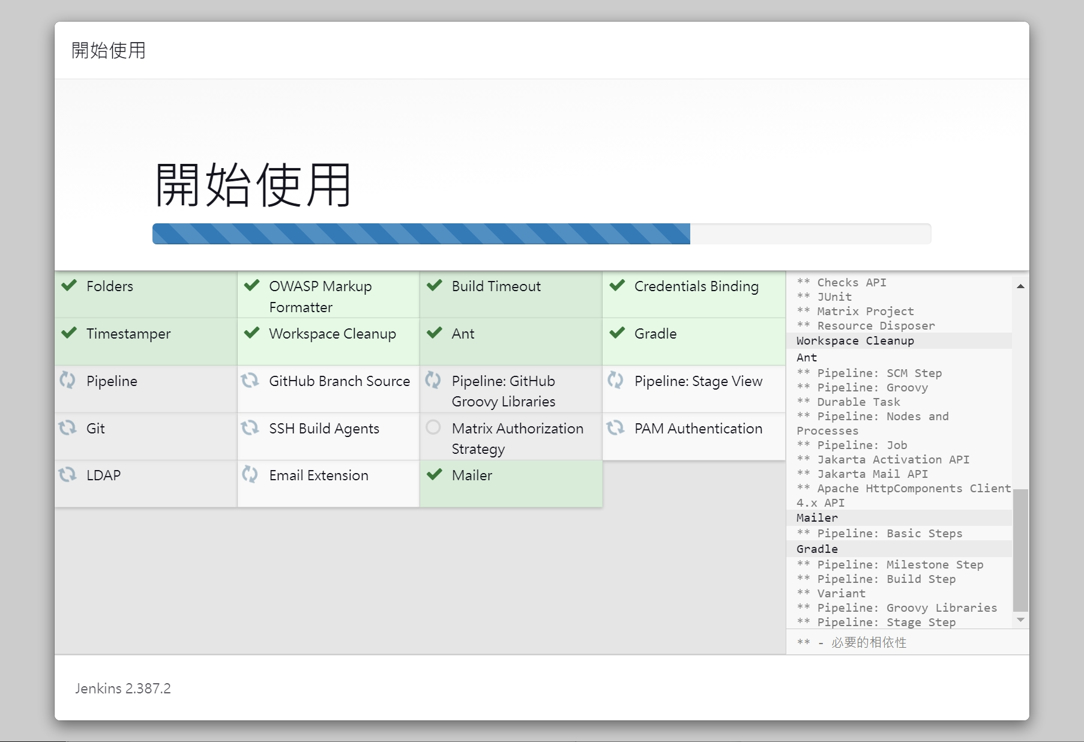
等待安裝

jenkins 主控台畫面截圖

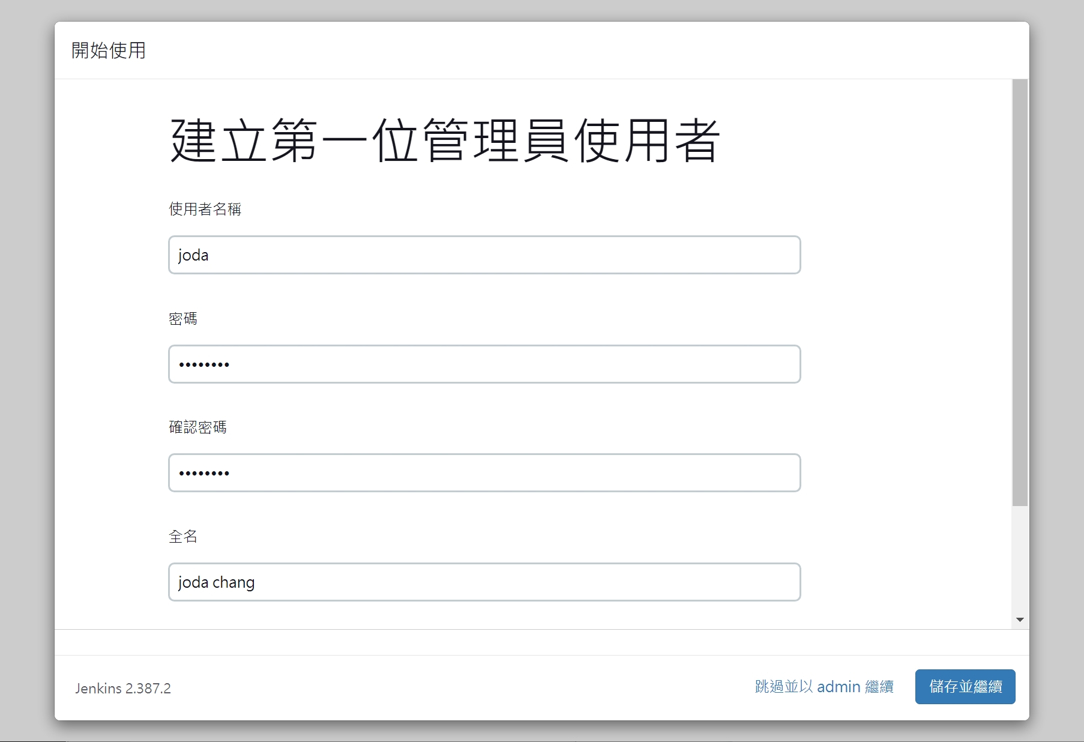
安裝完成後,可以自行建立使用者的帳號密碼

jenkins 主控台畫面截圖

一路下一步到最後,就能開始使用了

jenkins 主控台畫面截圖

最後再次提醒大家 Jenkins 與 AdGuard 會有衝突,記得關掉

18 則留言

  1. Excellent deep dive into container deployment. Utilizing Docker for Jenkins is the correct architectural choice, ensuring resource isolation and portability. This robust pattern is crucial for any high-availability system, whether managing local NAS workflows or accessing premium digital platforms like slotvip ph login. Keep up the great technical sharing!

  2. This is a solid guide on containerizing CI/CD tools. The move from native packages to Docker on NAS is a smart approach for isolation. Managing complex, high-throughput systems, whether it’s automated pipelines or high-stakes digital entertainment like the offerings at megaperya club, always requires robust, scalable infrastructure. Great work!

發佈留言

發佈留言必須填寫的電子郵件地址不會公開。 必填欄位標示為 *