Synology NAS 佈署 Vue 專案如何修改 Nginx 設定避免出現 404 Error
若你也想用 Synology NAS 佈署 Vue 專案,可以參考下面作法
[step] 1 [/step]
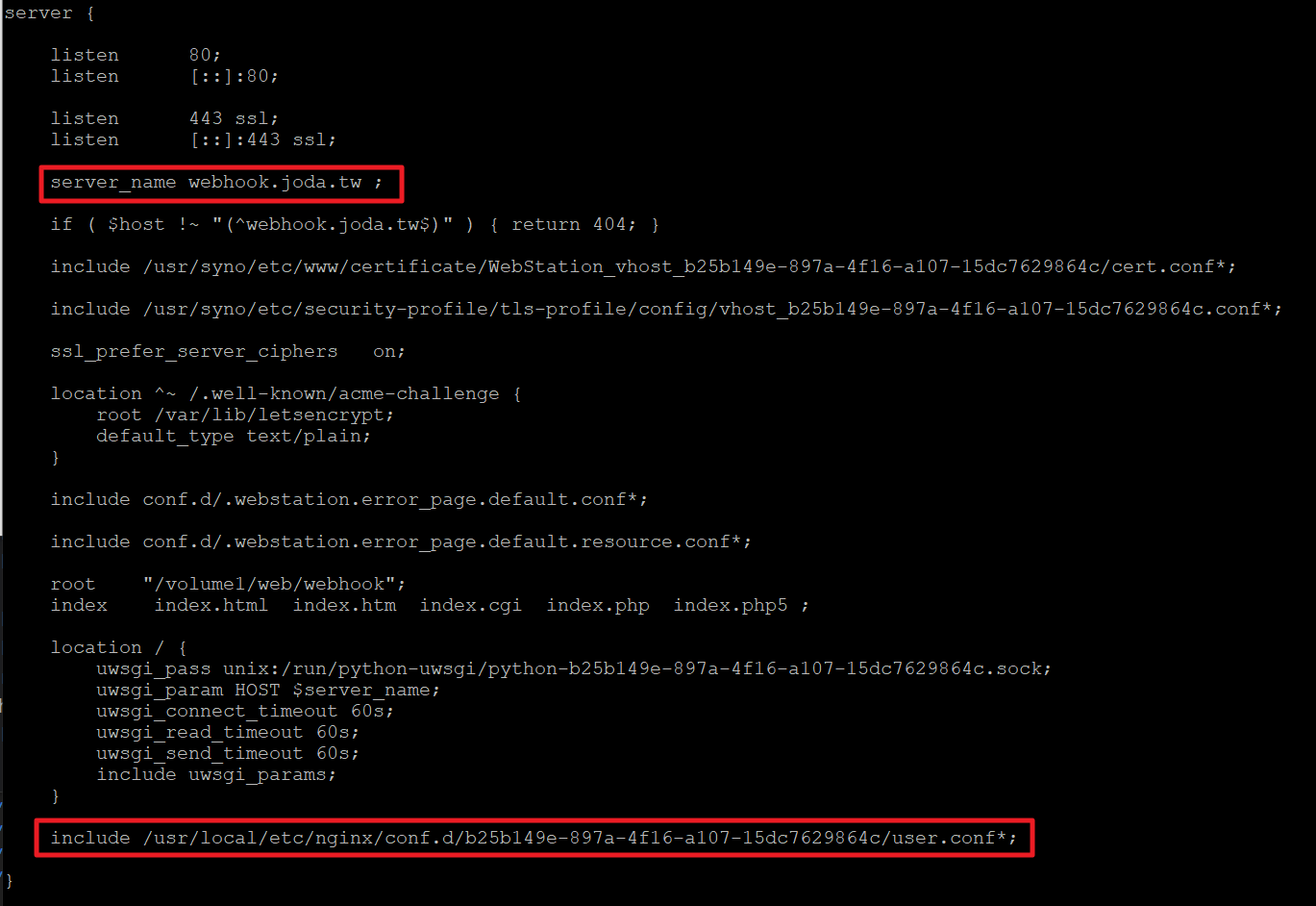
首先先在 /usr/local/etc/nginx/sites-enabled/server.webstation-vhost.conf 發現設定檔
sudo cat /usr/local/etc/nginx/sites-enabled/server.webstation-vhost.conf
由檔案內容可以看出,每個 Server 下面會從哪邊讀入使用者設定檔,如下圖
[step] 2 [/step]
只要在指定的位置下,新增一個user.conf.xxx (xxx 可以取任意名稱)檔案
就會被 Nginx 找到並且讀入設定
所以我們先切換到指定的位置
cd /usr/local/etc/nginx/conf.d/83cbb4aa-eeea-4b16-97d2-b72954366
[step] 3 [/step]
接著建立一個設定檔
# 建立user.conf.tool 空檔案
sudo touch user.conf.tool
[step] 4 [/step]
輸入內容
# 修改內容
sudo vi user.conf.tool

# 按下i進入編輯模式

# 輸入內容
location / {
        try_files $uri $uri/ /index.html;
}

# 按下:wq儲存檔案並退出vi
[step] 5 [/step]
最後重新啟動 Nginx
sudo nginx -s reload
回到畫面上就可以發現按下重新整理按鈕也不會出現 404 Error 了
留言